
11
近 30 天 +2
161
近 7 天 32
42.7
生态多维模型
1 个月前
2026-08-26
快速安装与配置
opencode.json写入当前项目的 opencode.json,只对这个仓库生效。
opencode.json
{
  "$schema": "https://opencode.ai/config.json",
  "plugin": ["opencode-tabs@0.3.0"]
}
写入 ~/.config/opencode/opencode.json,对所有项目生效。
~/.config/opencode/opencode.json
{
  "$schema": "https://opencode.ai/config.json",
  "plugin": ["opencode-tabs@0.3.0"]
}
若你要在本地改造这个插件,先装到项目里再从本地路径引用。
shell
pnpm add -D opencode-tabsOpenCode 启动时会通过内嵌运行时自动加载 npm 依赖并缓存至本地目录,无需手动在全局环境执行安装。


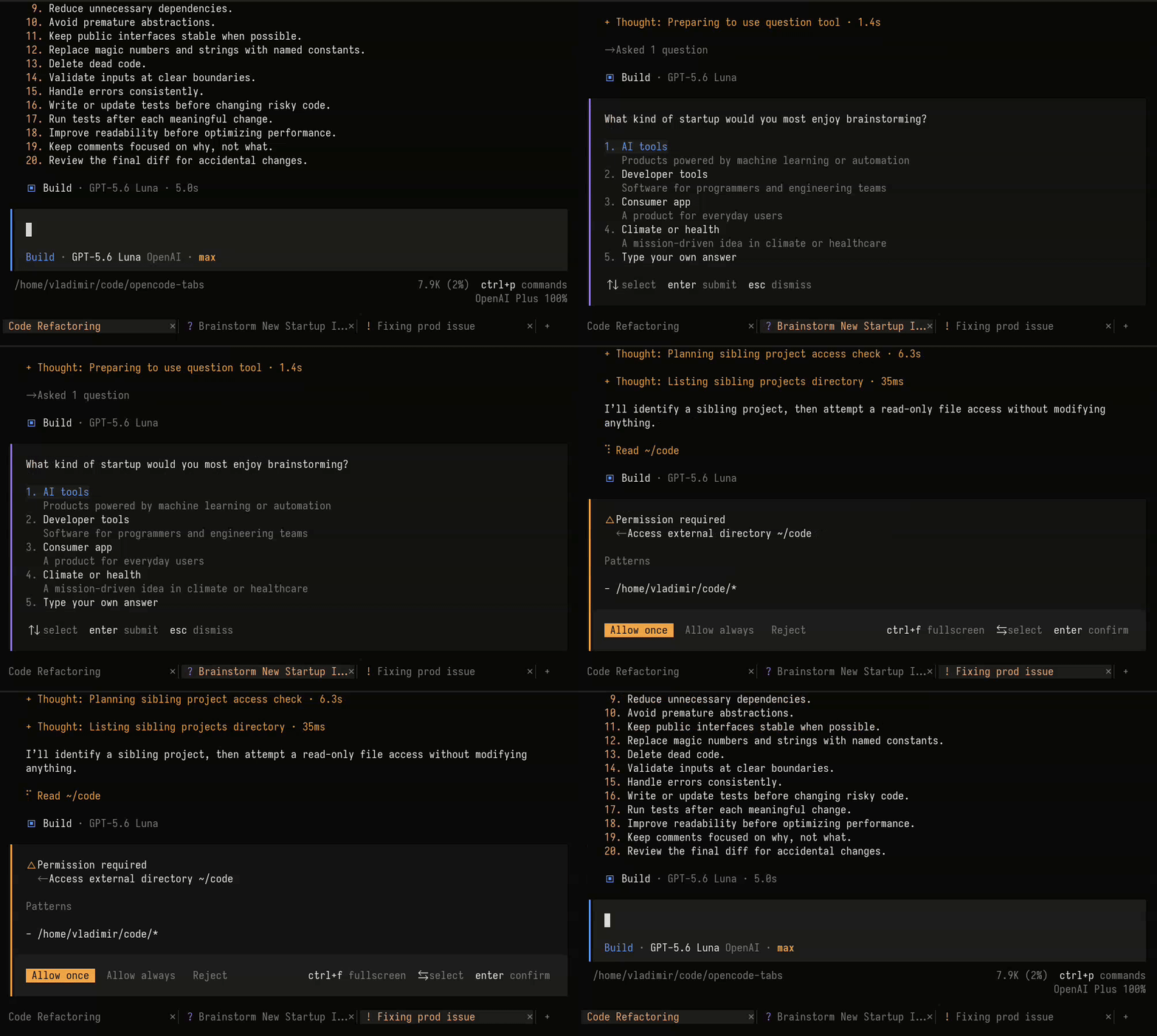
Session tabs for the OpenCode TUI.
- Quick navigation - Switch between sessions with a single click.
- Session status - See which sessions are busy or need attention.
Install
For the current project:
opencode plugin opencode-tabs
Or globally:
opencode plugin opencode-tabs --global
Or, add the package directly to .opencode/tui.json:
{
  "$schema": "https://opencode.ai/tui.json",
  "plugin": ["opencode-tabs"]
}
Restart OpenCode after the installation.
Keyboard navigation
The Next tab, Previous tab, and Close tab commands are available in the
command palette. They have no keybindings by default. To open a new tab, use
OpenCode's built-in New session command. Check the
OpenCode keybinds documentation.
To enable keyboard navigation, configure the plugin with options:
{
  "$schema": "https://opencode.ai/tui.json",
  "plugin": [
    [
      "opencode-tabs",
      {
        "keybinds": {
          "next": "<leader>]",
          "previous": "<leader>[",
          "close": "<leader>w"
        }
      }
    ]
  ]
}
Restart OpenCode after changing the configuration.
同类生态推荐

Gpt Live
opencode-gpt-live
Talk to OpenCode out loud: real-time GPT-Live voice calls on your ChatGPT subscription

Todolist
opencode-todolist
OpenCode V2 plugin restoring session todo list tools (todowrite/todoread) with a sidebar todo strip

Quotes Tui
opencode-quotes-tui
OpenCode TUI plugin that replaces the home screen tips with a random quote