
Analyze Image
OpenCode plugin that lets text-only models analyze image attachments, URLs, and files through an auxiliary vision model.
8
39
近 7 天 8
34.0
生态多维模型
2 个月前
2026-08-10
快速安装与配置
opencode.json写入当前项目的 opencode.json,只对这个仓库生效。
opencode.json
{
  "$schema": "https://opencode.ai/config.json",
  "plugin": ["opencode-analyze-image@0.1.3"]
}
写入 ~/.config/opencode/opencode.json,对所有项目生效。
~/.config/opencode/opencode.json
{
  "$schema": "https://opencode.ai/config.json",
  "plugin": ["opencode-analyze-image@0.1.3"]
}
若你要在本地改造这个插件,先装到项目里再从本地路径引用。
shell
pnpm add -D opencode-analyze-imageOpenCode 启动时会通过内嵌运行时自动加载 npm 依赖并缓存至本地目录,无需手动在全局环境执行安装。

opencode-analyze-image
A cybernetic eye for text-only models: an external vision model that lets them see images.


"The reason is that this, most of all the senses, makes us know and brings to light many differences between things."
— Aristotle, Metaphysics, Book I, Part 1
This is an independent community plugin for OpenCode and is not built by or affiliated with the OpenCode team.
In Action
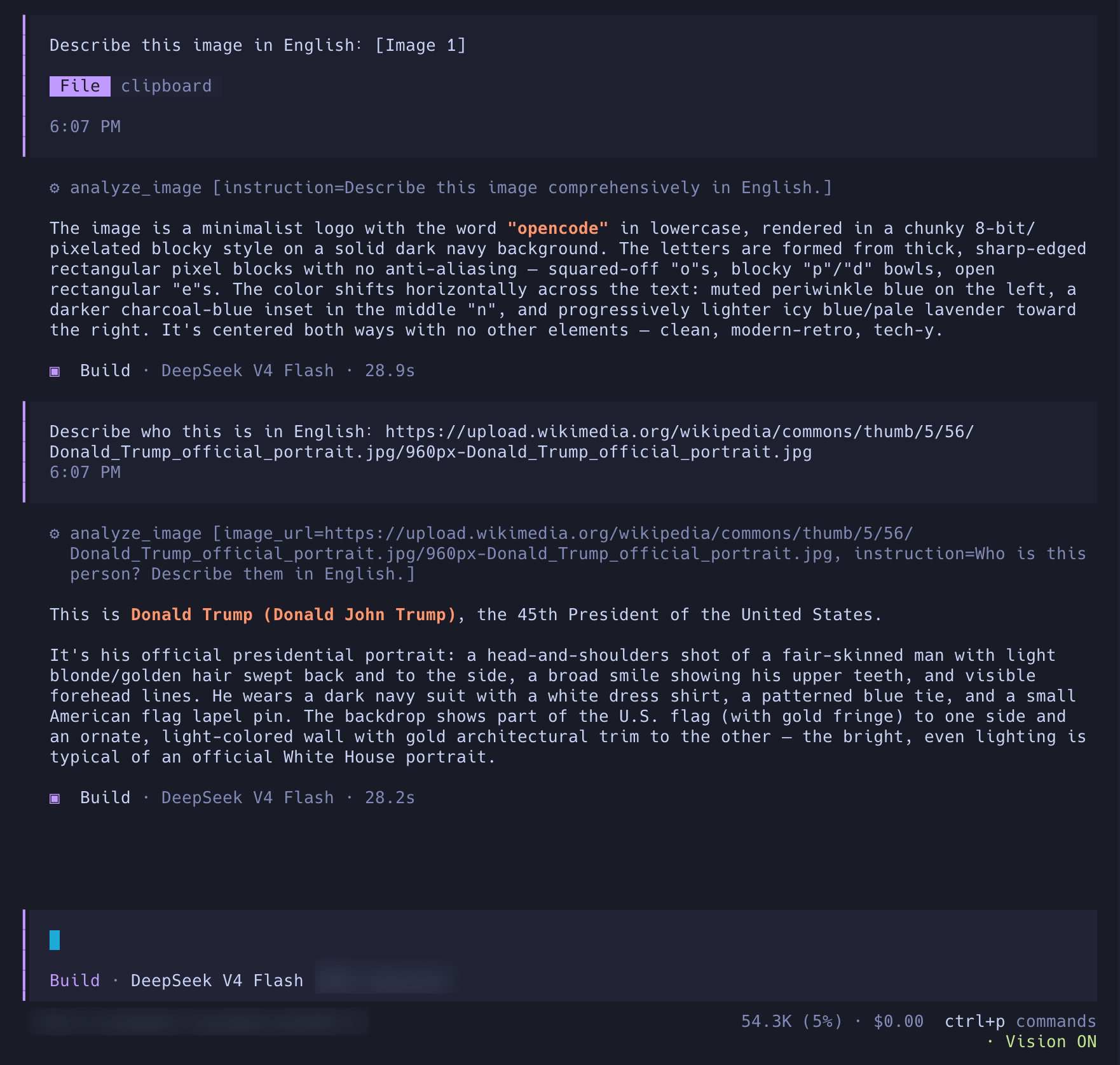
Image analysis running inside an OpenCode terminal session.
Installation
npm package (recommended)
Install the published npm package globally:
opencode plugin --global opencode-analyze-image@0.1.3
This installs both the server and TUI targets. Restart OpenCode after installation.
[!TIP] If you previously installed the plugin manually, remove the old
analyze_image.jsandanalyze_image_tui.jsfiles and the manual TUI entry before using the npm installation. Do not load both installation methods at the same time.
To uninstall the npm installation, remove opencode-analyze-image@0.1.3 from both ~/.config/opencode/opencode.json and ~/.config/opencode/tui.json.
Manual installation (prebuilt JavaScript)
Download analyze_image.js from the matching GitHub Release:
mkdir -p ~/.config/opencode/plugins
curl -fL https://github.com/cipherTing/opencode-analyze-image/releases/download/v0.1.3/analyze_image.js \
  -o ~/.config/opencode/plugins/analyze_image.js
OpenCode automatically loads JavaScript and TypeScript files from ~/.config/opencode/plugins/ at startup. Project-level local plugins use .opencode/plugins/ instead.
When OPENCODE_CONFIG_DIR is set, use that directory instead of ~/.config/opencode.
After installation, restart OpenCode and use it normally.
The terminal status is optional. To show · analyze image v<version> below the terminal input, also download the TUI file and add its path to ~/.config/opencode/tui.json:
mkdir -p ~/.config/opencode/tui
curl -fL https://github.com/cipherTing/opencode-analyze-image/releases/download/v0.1.3/analyze_image_tui.js \
  -o ~/.config/opencode/tui/analyze_image_tui.js
{
  "plugin": [
    "./tui/analyze_image_tui.js"
  ]
}
To uninstall the manual installation:
rm -f ~/.config/opencode/plugins/analyze_image.js
rm -f ~/.config/opencode/tui/analyze_image_tui.js
Also remove ./tui/analyze_image_tui.js from ~/.config/opencode/tui.json.
Configuration
Create the configuration file at:
~/.config/opencode/analyze_image/config.json
When OPENCODE_CONFIG_DIR is set, use $OPENCODE_CONFIG_DIR/analyze_image/config.json instead.
Minimal configuration
{
  "trigger_models": [
    "deepseek/deepseek-v4-flash"
  ],
  "api_format": "openai_chat",
  "base_url": "https://api.openai.com/v1",
  "model": "your-vision-model",
  "api_key": "your-api-key",
  "reasoning": {
    "effort": "medium",
    "adaptive": true
  }
}
Required fields
| Field | Description |
|---|---|
trigger_models |
Primary models that can use the plugin. Use the full provider/model identifier. |
api_format |
openai_chat, openai_responses, or anthropic_messages. |
base_url |
Auxiliary vision model API endpoint. |
model |
Auxiliary vision model ID. |
api_key |
Vision model API key, or an {env:NAME} / {file:PATH} reference. |
Optional fields
| Field | Default | Description |
|---|---|---|
reasoning.effort |
medium |
Allowed values: none, low, medium, high, xhigh, or max. |
reasoning.adaptive |
true |
Anthropic Messages only: true uses adaptive thinking; false uses budget-based thinking. |
timeout_seconds |
120 |
Request timeout. |
max_retries |
2 |
Number of request retries. |
max_output_tokens |
4096 |
Maximum visible output length. |
image.max_images |
10 |
Maximum number of images in one analysis request. |
API keys
The key may be written directly, read from an environment variable, or read from a file:
"api_key": "your-api-key"
"api_key": "{env:ANALYZE_IMAGE_API_KEY}"
"api_key": "{file:~/.secrets/analyze-image-key}"
Relative file paths are resolved relative to config.json.
trigger_models uses exact matching. Keep the complete identifier when a model ID contains additional slashes.
Image size and batch limits can use the defaults in config.example.json. Change the image section only when needed.
Full Configuration
See config.example.json for the complete field list.
License
MIT
同类生态推荐

Vision Paste
opencode-vision-paste
OpenCode plugin: intercept pasted images → local VL API analysis → replace with text

Llm Proxy
opencode-llm-proxy
Local AI gateway for OpenCode with tool/function calling — use any model via OpenAI, Anthropic, or Gemini API format

Sidebar Usage
@tomdewildt/opencode-sidebar-usage
OpenCode plugin that shows Anthropic, GitHub Copilot and OpenAI usage limits in the sidebar