
@swalker326/opencode-sidebar-sessionsClickable, keyboard-driven session navigation for the OpenCode TUI sidebar.
GitHub 星标
2
月装机量
752
近 7 天 37
综合评分SCORE
40.6
生态多维模型
最近提交
23 天前
2026-07-28
快速安装与配置
opencode.json写入当前项目的 opencode.json,只对这个仓库生效。
opencode.json
{
  "$schema": "https://opencode.ai/config.json",
  "plugin": ["@swalker326/opencode-sidebar-sessions@0.1.4"]
}
写入 ~/.config/opencode/opencode.json,对所有项目生效。
~/.config/opencode/opencode.json
{
  "$schema": "https://opencode.ai/config.json",
  "plugin": ["@swalker326/opencode-sidebar-sessions@0.1.4"]
}
若你要在本地改造这个插件,先装到项目里再从本地路径引用。
shell
pnpm add -D @swalker326/opencode-sidebar-sessionsopencode 启动时会通过内嵌运行时自动加载 npm 依赖并缓存至本地目录,无需手动在全局环境执行安装。
README.md
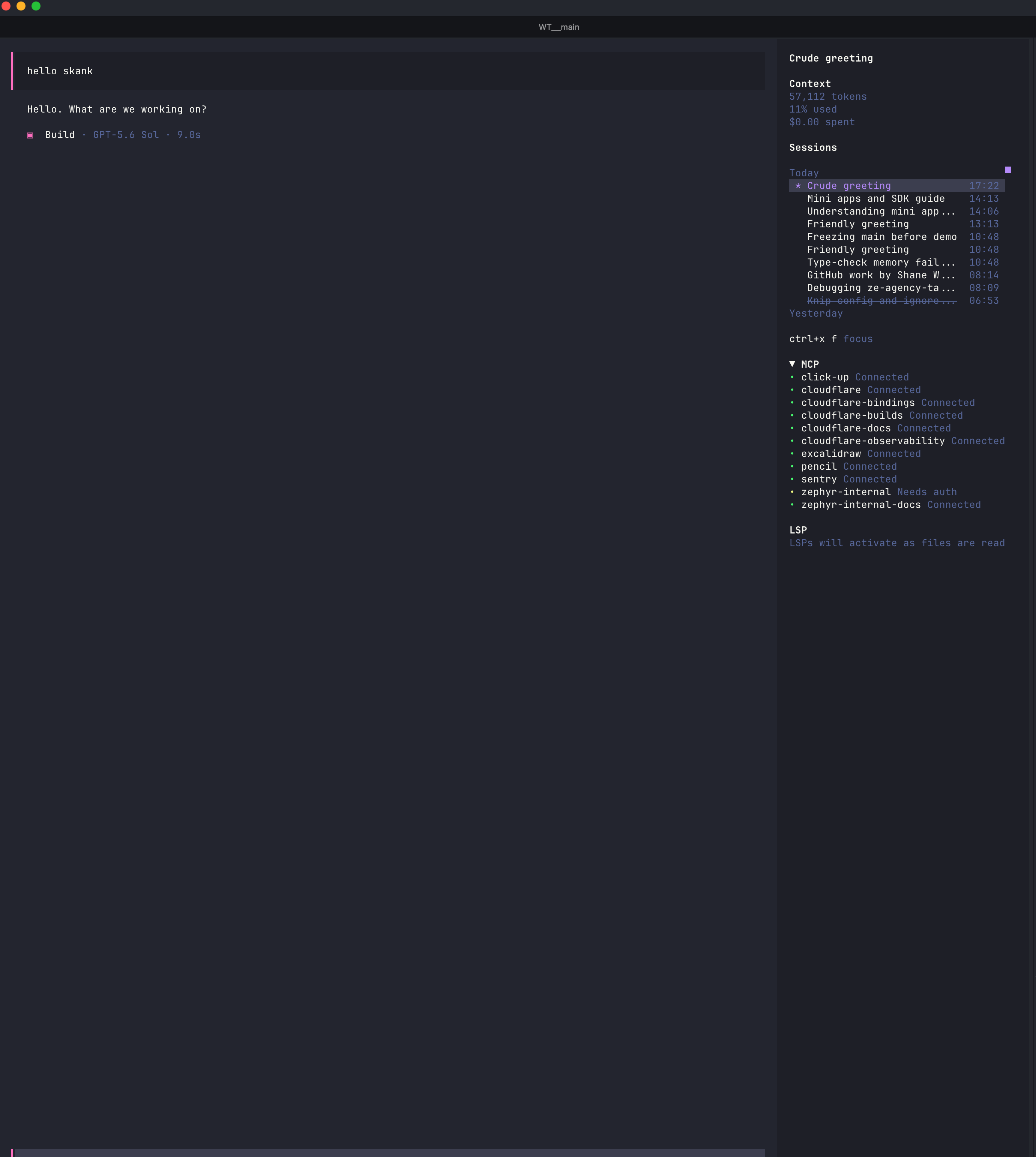
查看原始文件→Browse and switch OpenCode sessions without leaving the sidebar.
Install
opencode plugin @swalker326/opencode-sidebar-sessions --global
Restart OpenCode after installation.
Use
| Shortcut | Action |
|---|---|
<leader>f |
Focus the session list |
up / down |
Select a session |
enter |
Open the selected session |
r |
Rename the selected session |
a |
Archive the selected session |
esc |
Return to the prompt |
Highlights
- Groups sessions by recent activity day.
- Keeps active sessions first and archived sessions at the bottom of each day.
- Highlights the current session and strikes through archived titles.
- Uses your configured OpenCode leader and navigation keys.
- Updates automatically as sessions change.