
0
205
近 7 天 10
33.6
生态多维模型
17 天前
2026-08-02
快速安装与配置
opencode.json写入当前项目的 opencode.json,只对这个仓库生效。
opencode.json
{
  "$schema": "https://opencode.ai/config.json",
  "plugin": ["opencode-codex-usage-plugin@0.0.3"]
}
写入 ~/.config/opencode/opencode.json,对所有项目生效。
~/.config/opencode/opencode.json
{
  "$schema": "https://opencode.ai/config.json",
  "plugin": ["opencode-codex-usage-plugin@0.0.3"]
}
若你要在本地改造这个插件,先装到项目里再从本地路径引用。
shell
pnpm add -D opencode-codex-usage-pluginopencode 启动时会通过内嵌运行时自动加载 npm 依赖并缓存至本地目录,无需手动在全局环境执行安装。
Show your Codex usage and reset times directly in the OpenCode sidebar.
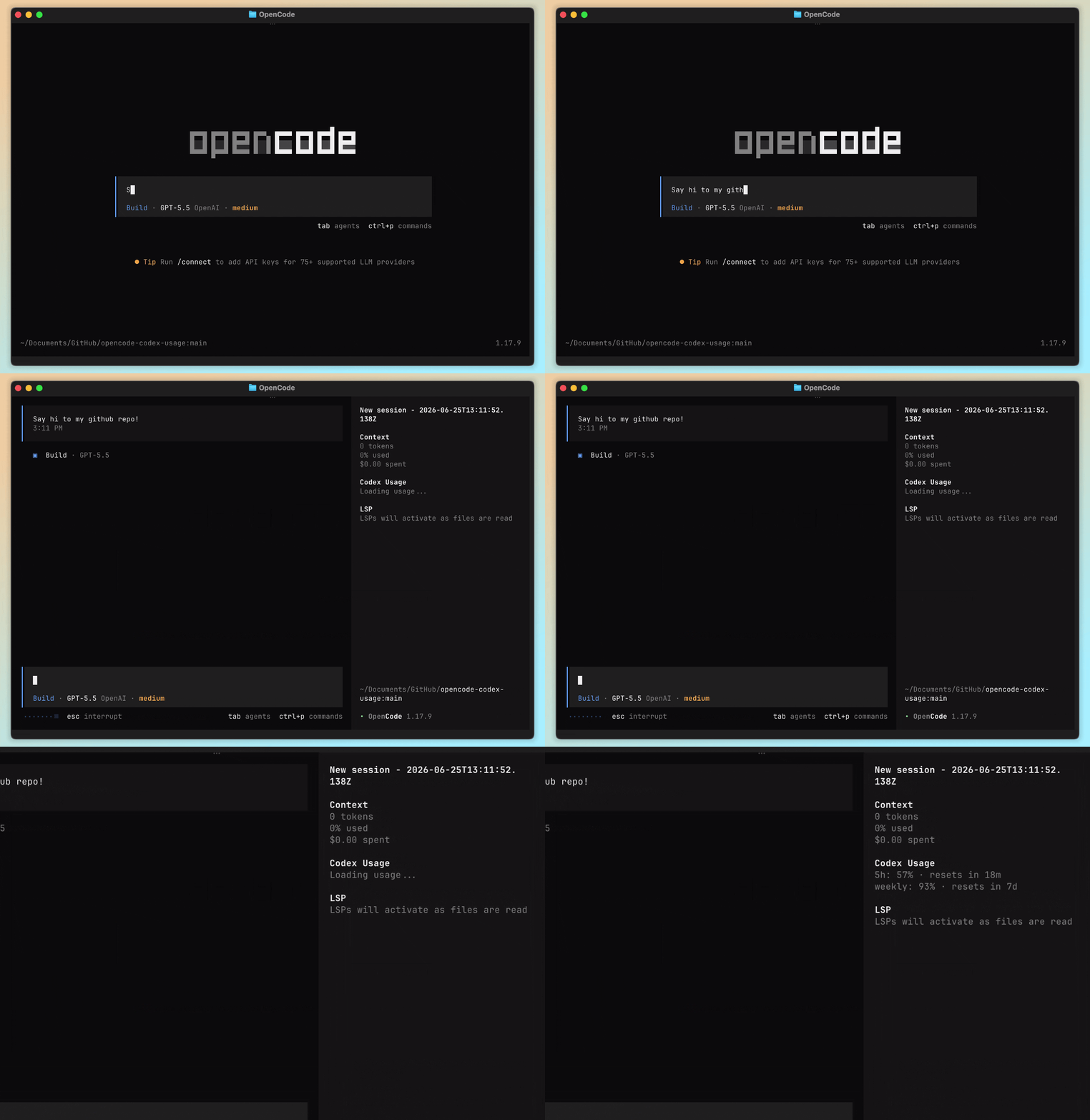
This plugin reads Codex usage from Codex App or the Codex CLI and renders the current 5-hour and weekly limits inside OpenCode, so you can keep an eye on quota without leaving the TUI.
Install
Use OpenCode's native plugin installer:
opencode plugin opencode-codex-usage-plugin@latest --global
This installs the plugin and updates your global OpenCode TUI config automatically.
Alternatively, add the plugin manually to your OpenCode TUI config (~/.config/opencode/tui.json):
// tui.json
{
  "$schema": "https://opencode.ai/tui.json",
  "plugin": ["opencode-codex-usage-plugin@latest"]
}
Restart OpenCode after changing the config.
[!IMPORTANT] This is a TUI plugin, so configure it in
tui.json, not inopencode.json. Thepluginfield inopencode.jsonis for server/runtime plugins and will not load this sidebar plugin.
Requirements
Install either Codex App or the Codex CLI. The plugin looks for Codex in common locations and on your PATH.
If your Codex command lives somewhere else, set OPENCODE_CODEX_USAGE_COMMAND in your shell config:
# ~/.zshrc or ~/.bashrc
export OPENCODE_CODEX_USAGE_COMMAND="/path/to/codex"
Then reload your shell config or open a new terminal before starting OpenCode.
Contributing
Contributions are welcome! Please open an issue or submit a pull request on GitHub. To get started fork the repo, install the dependencies and in your OpenCode TUI config add the local path to the output of the plugin like so:
// tui.json
{
  "$schema": "https://opencode.ai/tui.json",
  "plugin": ["file:///Users/<your_username>/path/to/your-clone/opencode-codex-usage-plugin/dist/tui.js"]
}
The plugin logic is made with Effect. There is no particular reason I chose it, it was simply an excuse to try it out.