
@lexwdex-org/opencode-dcpOpenCode plugin that optimizes token usage by pruning obsolete tool outputs from conversation context
1
616
近 7 天 186
39.6
生态多维模型
7 天前
2026-08-13
快速安装与配置
opencode.json写入当前项目的 opencode.json,只对这个仓库生效。
opencode.json
{
  "$schema": "https://opencode.ai/config.json",
  "plugin": ["@lexwdex-org/opencode-dcp@3.4.10"]
}
写入 ~/.config/opencode/opencode.json,对所有项目生效。
~/.config/opencode/opencode.json
{
  "$schema": "https://opencode.ai/config.json",
  "plugin": ["@lexwdex-org/opencode-dcp@3.4.10"]
}
若你要在本地改造这个插件,先装到项目里再从本地路径引用。
shell
pnpm add -D @lexwdex-org/opencode-dcpopencode 启动时会通过内嵌运行时自动加载 npm 依赖并缓存至本地目录,无需手动在全局环境执行安装。


English | 中文
通过管理对话上下文,自动减少 OpenCode 中的 token 消耗。
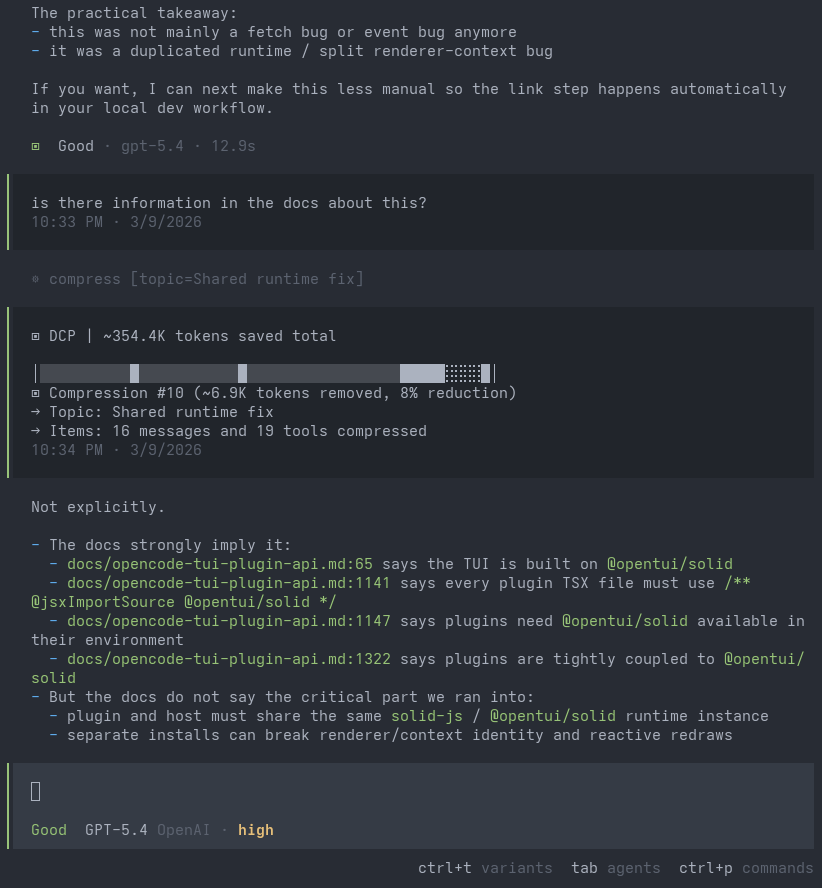
安装
从 CLI 安装:
opencode plugin @lexwdex-org/opencode-dcp@latest --global
这会安装该包并将其添加到全局 OpenCode 配置中。
工作原理
DCP 通过压缩工具和自动清理来减小上下文大小。会话历史记录不会被修改——DCP 会在向 LLM 发送请求之前用占位符替换已剪枝的内容。
压缩
Compress 是一个暴露给模型的工具,它会将已关闭的、过时的对话内容替换为高保真度的技术摘要。你可以将其视为 OpenCode 原生合并过程的更智能版本。它不是在你的会话达到最大上下文时才静态触发并对整个编码会话生效,而是允许模型根据任务完成情况自主选择何时激活,并且只压缩那些不再需要逐字保留的特定消息。
DCP 支持两种压缩模式:
range模式将连续的多段对话压缩为一个或多个摘要。message模式(实验性)独立压缩单条原始消息,让模型能够更精细地管理上下文。
在 range 模式下,当新的压缩与先前的压缩重叠时,先前的摘要会被嵌套到新的摘要中,这样信息在多层压缩中得到保留而非被稀释。在两种模式下,受保护的工具输出(如子 agent 和技能)以及受保护的文件模式都会保留在压缩摘要中,确保最重要的信息永不会丢失。你还可以启用 protectUserMessages 来在压缩期间保留你的消息原样,但请注意,大型提示(例如在提示中粘贴日志文件)将永远不会被压缩掉。
去重
识别重复的工具调用(相同工具、相同参数),只保留最近一次的输出。在压缩工具运行时重新计算,因此提示缓存仅在与压缩同时发生时受到影响。
清除错误
在可配置的消息轮次后(默认:4 轮),修剪出错工具调用的输入。错误消息会被保留,仅移除可能较大的输入内容。在使用压缩工具时重新计算。
配置
DCP 使用自己的配置文件,按以下顺序搜索:
- 全局:
~/.config/opencode/dcp.jsonc(或dcp.json),首次运行时自动创建 - 自定义配置目录:
$OPENCODE_CONFIG_DIR/dcp.jsonc(或dcp.json),如果设置了OPENCODE_CONFIG_DIR - 项目:
.opencode/dcp.jsonc(或dcp.json),位于项目的.opencode目录中
每个层级覆盖前一个层级,因此项目设置优先于全局设置。修改配置后请重启 OpenCode。
[!NOTE] 如果你使用的是较小上下文窗口的模型,例如 GitHub Copilot 模型或本地模型,请在配置中降低
compress.minContextLimit和compress.maxContextLimit以匹配可用上下文。
[!IMPORTANT] 默认值会自动应用。展开此项可查看或覆盖设置。
默认配置(点击展开)
{
    "$schema": "https://raw.githubusercontent.com/LeXwDeX/opencode-dynamic-context-pruning/master/dcp.schema.json",
    // Enable or disable the plugin
    "enabled": true,
    // Check npm for a newer DCP release and show an update notification.
    // The plugin never deletes or replaces its active installation.
    "autoUpdate": true,
    // Enable debug logging to ~/.config/opencode/logs/dcp/
    "debug": false,
    // Notification display: "off", "minimal", or "detailed"
    "pruneNotification": "detailed",
    // Notification type: "chat" (in-conversation) or "toast" (system toast)
    "pruneNotificationType": "chat",
    // Slash commands configuration
    "commands": {
        "enabled": true,
        // Additional tools to protect from pruning via commands (e.g., /dcp sweep)
        "protectedTools": [],
    },
    // Manual mode: disables autonomous context management,
    // tools only run when explicitly triggered via /dcp commands
    "manualMode": {
        "enabled": false,
        // When true, automatic cleanup (deduplication, purgeErrors)
        // still runs even in manual mode
        "automaticStrategies": true,
    },
    // Protect from pruning for <turns> message turns past tool invocation
    "turnProtection": {
        "enabled": false,
        "turns": 4,
    },
    // Experimental settings
    "experimental": {
        // Allow DCP processing in subagent sessions
        "allowSubAgents": false,
        // Enable user-editable prompt overrides under dcp-prompts directories
        // When false (default), prompt override files/directories are ignored
        "customPrompts": false,
    },
    // Protect file operations from pruning via glob patterns
    // Patterns match tool parameters.filePath (e.g. read/write/edit)
    "protectedFilePatterns": [],
    // Unified context compression tool and behavior settings
    "compress": {
        // Compression mode: "range" (compress spans into block summaries)
        // or experimental "message" (compress individual raw messages)
        "mode": "range",
        // Permission mode: "allow" (no prompt), "ask" (prompt), "deny" (tool not registered)
        "permission": "allow",
        // Show compression content in a chat notification
        "showCompression": false,
        // Let active summary tokens extend the effective maxContextLimit
        "summaryBuffer": true,
        // Soft upper threshold: above this, DCP keeps injecting strong
        // compression nudges (based on nudgeFrequency), so compression is
        // much more likely. Accepts: number or "X%" of model context window.
        "maxContextLimit": "85%",
        // Soft lower threshold for reminder nudges: below this, turn/iteration
        // reminders are off (compression less likely). At/above this, reminders
        // are on. Accepts: number or "X%" of model context window.
        "minContextLimit": "50%",
        // When true (default), DCP injects a soft turn-boundary reminder at every
        // new user turn, after session.idle, and after vcs.branch.updated events —
        // regardless of minContextLimit, and only while below maxContextLimit —
        // asking the model to compress the previous task when the topic changed
        // (throttled by nudgeFrequency).
        "boundaryNudge": true,
        // Optional per-model override for maxContextLimit by providerID/modelID.
        // If present, this wins over the global maxContextLimit.
        // Accepts: number or "X%".
        // Example:
        // "modelMaxLimits": {
        //     "openai/gpt-5.3-codex": 120000,
        //     "anthropic/claude-sonnet-4.6": "80%"
        // },
        // Optional per-model override for minContextLimit.
        // If present, this wins over the global minContextLimit.
        // "modelMinLimits": {
        //     "openai/gpt-5.3-codex": 50000,
        //     "anthropic/claude-sonnet-4.6": "25%"
        // },
        // How often the context-limit nudge fires (1 = every fetch, 2 = every 2nd)
        "nudgeFrequency": 2,
        // Start adding compression reminders after this many
        // messages have happened since the last user message
        "iterationNudgeThreshold": 15,
        // Controls how likely compression is after user messages
        // ("strong" = more likely, "soft" = less likely)
        "nudgeForce": "strong",
        // Tool names whose completed outputs are appended to the compression
        "protectedTools": [],
        // Preserve text wrapped in <protect>...</protect> when compressed
        "protectTags": false,
        // Preserve your messages during compression.
        // Warning: large copy-pasted prompts will never be compressed away
        "protectUserMessages": false,
    },
    // Automatic pruning strategies
    "strategies": {
        // Remove duplicate tool calls (same tool with same arguments)
        "deduplication": {
            "enabled": true,
            // Additional tools to protect from pruning
            "protectedTools": [],
        },
        // Prune tool inputs for errored tools after X turns
        "purgeErrors": {
            "enabled": true,
            // Number of turns before errored tool inputs are pruned
            "turns": 4,
            // Additional tools to protect from pruning
            "protectedTools": [],
        },
    },
}
命令
DCP 提供 /dcp 斜杠命令:
/dcp— 显示可用的 DCP 命令/dcp context— 显示当前会话按类别(system、user、assistant、tools 等)划分的 token 使用明细以及通过剪枝节省的量。/dcp stats— 显示跨所有会话的累积剪枝统计信息。/dcp sweep— 修剪自上次用户消息以来的所有工具。接受可选数量:/dcp sweep 10修剪最后 10 个工具。遵循commands.protectedTools。/dcp manual [on|off]— 切换手动模式或设置显式状态。开启时,AI 不会自主使用上下文管理工具。/dcp compress [focus]— 触发一次压缩工具执行。可选的 focus 文本指示要压缩的内容,遵循当前的compress.mode。/dcp decompress <n>— 按 ID 恢复特定的活跃压缩(例如/dcp decompress 2)。不加参数运行时显示可用的压缩 ID、token 大小和主题。/dcp recompress <n>— 按 ID 重新压缩用户已解压的压缩(例如/dcp recompress 2)。不加参数运行时显示可重新压缩的 ID、token 大小和主题。
提示词覆盖
DCP 暴露了六个可编辑的提示词:
systemcompress-rangecompress-messagecontext-limit-nudgeturn-nudgeiteration-nudge
此功能默认禁用。在你的 DCP 配置中将 experimental.customPrompts 设置为 true 来激活它。
启用后,管理的默认值会以纯文本提示词文件的形式写入 ~/.config/opencode/dcp-prompts/defaults/。该目录中的 README.md 文件会解释每个提示词以及如何创建覆盖。
如需自定义行为,请在覆盖目录下添加同名文件并编辑为纯文本。
要重置覆盖,请从覆盖目录中删除对应的文件。
受保护工具
默认情况下,以下工具始终受保护不被修剪:
task、skill、todowrite、todoread、compress、batch、plan_enter、plan_exit、write、edit
commands 和 strategies 中的 protectedTools 数组会追加到这个默认列表。
对于 compress 工具,compress.protectedTools 确保特定工具的输出会被附加到压缩摘要中。默认包含 task、skill、todowrite 和 todoread。
外部模型压缩
将压缩摘要的生成工作卸载到更便宜的模型,而不是使用昂贵的主模型。
优先级链
| 优先级 | 来源 | 说明 |
|---|---|---|
| 1(最高) | 环境变量 | OPENCODE_DCP_EXTERNAL_COMPRESS_* |
| 2 | 项目配置 | <project>/.opencode/dcp.jsonc:compress.externalModel |
| 3 | 全局配置 | ~/.config/opencode/dcp.jsonc:compress.externalModel |
| 4(兜底) | 主模型 | 原始行为不变 |
使用方法
方法 1 — 环境变量(推荐用于快速设置):
export OPENCODE_DCP_EXTERNAL_COMPRESS_URL="http://your-proxy-url/v1"
export OPENCODE_DCP_EXTERNAL_COMPRESS_MODEL="your-model-name"
# Optional:
export OPENCODE_DCP_EXTERNAL_COMPRESS_KEY="your-api-key"
export OPENCODE_DCP_EXTERNAL_COMPRESS_TIMEOUT="120000"
export OPENCODE_DCP_EXTERNAL_COMPRESS_RETRIES="1"
在 shell RC 文件(~/.zshrc、~/.bashrc)中持久化,以便跨会话自动可用。
方法 2 — 配置文件(dcp.jsonc):
{
    "compress": {
        "externalModel": {
            "url": "http://your-proxy-url/v1",
            "model": "your-model-name",
            "apiKey": "your-api-key",
            "timeout": 120000,
            "retries": 1,
        },
    },
}
行为说明
| 场景 | 行为 |
|---|---|
配置了外部模型 + 未提供 summary |
插件获取范围内容 → 调用外部模型 → 存储生成的摘要 |
配置了外部模型 + 提供了 summary |
插件直接使用提供的 summary(向后兼容) |
| 外部模型调用失败 | 工具抛出错误;主模型使用回退摘要重试 |
| 未配置 | 一切不变——主模型像以前一样编写摘要 |
url 不兼容 OpenAI |
外部模型调用失败 → 进入上述错误路径 |
兼容性: 仅支持兼容 OpenAI 的 /chat/completions 端点(本地代理、OpenAI、DeepSeek 等)。
对提示词缓存的影响
LLM 提供商基于精确前缀匹配来缓存提示词。当 DCP 剪枝内容时,它会修改消息,从而从该位置开始使缓存的提示词前缀失效。
权衡: 你会损失一些缓存命中,但通过减小上下文尺寸和减少因过时上下文导致的幻觉来获得 token 节省。在大多数情况下,尤其是在长会话中,节省量超过了缓存未命中的成本。
[!NOTE] 测试中,使用 DCP 的缓存命中率约为 85%,而未使用时约为 90%。
无影响的情况:
- 按请求计费 — 按请求收费而非按 token 收费的提供商,如 GitHub Copilot。
- 统一 token 定价 — 对缓存和未缓存 token 按相同费率计费的提供商,如 Cerebras。