
opencode-laterGlobal persistent Later list for OpenCode
0
435
22 in 7 days
35.8
Multi-signal model
15 days ago
2026-08-05
Install and configure
opencode.jsonWrites to this project's opencode.json — applies to this repository only.
opencode.json
{
  "$schema": "https://opencode.ai/config.json",
  "plugin": ["opencode-later@0.1.2"]
}
Writes to ~/.config/opencode/opencode.json — applies to every project.
~/.config/opencode/opencode.json
{
  "$schema": "https://opencode.ai/config.json",
  "plugin": ["opencode-later@0.1.2"]
}
If you want to modify the plugin locally, install it into the project and reference the local path.
shell
pnpm add -D opencode-lateropencode loads npm dependencies through its embedded runtime on startup and caches them locally — no manual global install needed.

A global persistent Later list with native OpenCode sidebar integration and management.
/later opens a keyboard-first management view for adding, editing, completing, restoring, deleting, and reordering items. Active items remain visible in OpenCode's right sidebar across every session and project.
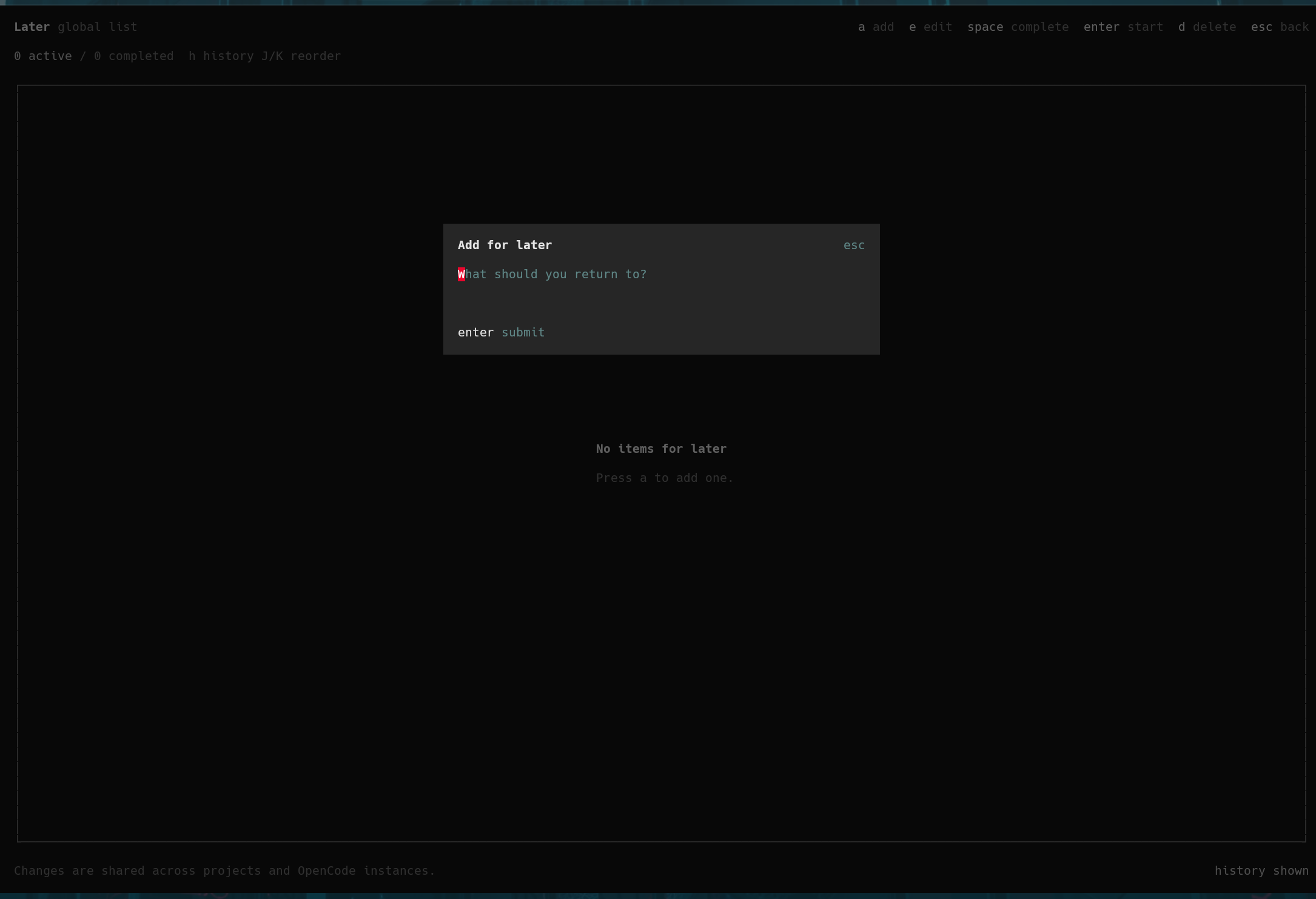
Add Items
Add items from the keyboard-first management view.
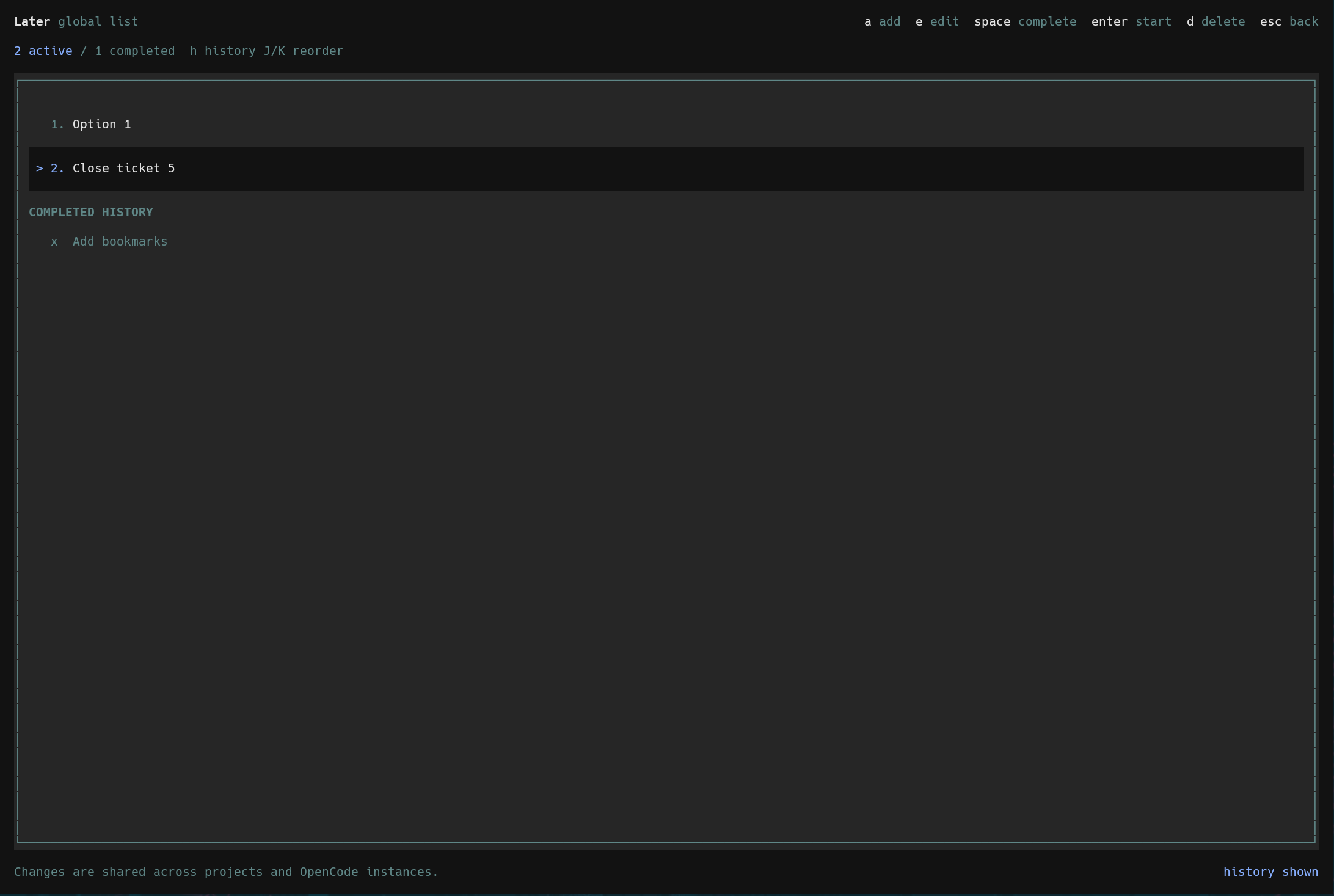
Manage Your List
Review active items and completed history, then edit, reorder, complete, restore, delete, or start an item.
Published on npm as opencode-later.
Requirements
- OpenCode 1.18.12 or newer within the 1.x release line
- Bun, which is already used by OpenCode's plugin runtime
The TUI plugin API is new and version-coupled. This package declares an engines.opencode range so incompatible OpenCode versions skip it rather than loading an unsupported interface.
The sidebar works in the terminal TUI. It does not appear in the desktop application or opencode --mini.
Install
Install globally so the same list is available from every project:
opencode plugin --global opencode-later
The package exposes separate server and TUI entrypoints. OpenCode detects both and updates:
~/.config/opencode/opencode.jsonoropencode.jsonc~/.config/opencode/tui.jsonfor commands, the sidebar, and the native management view
Quit and restart OpenCode after installation. Plugin configuration is loaded only at startup.
Then run:
/later
Commands
/later: open the management view
Messages may be duplicated. Active numbers always follow the current display order and are reassigned immediately after completion, deletion, or reordering.
Sidebar
Active items appear in the right sidebar as a numbered ordered list in every session and project. Long messages wrap within the available sidebar width. The entire Later section is omitted when there are no active items.
The plugin does not force the right sidebar open; the section appears when OpenCode's sidebar is visible.
Management View
a: add an iteme: edit the selected itemspace: complete the selected active item or restore the selected completed itementer: start the selected active item by completing it, closing the view, and placing its text in the promptd: permanently delete the selected itemJ/K: move the selected active item down or upj/kor arrow keys: move selectionh: show or hide completed historyr: refresh immediatelyesc: return to the session or home screen that opened the view
The screen and sidebar refresh automatically when another active OpenCode instance changes the list.
Completing an item preserves it in history. Restoring a completed item appends it to the active list. Deleting an active or completed item removes it permanently.
Storage
The plugin stores its SQLite database at:
<opencode-state>/opencode-later/later.sqlite
This is plugin-owned global storage and does not use OpenCode's database. SQLite WAL mode and transactions allow multiple active OpenCode processes to read and update the list safely.
To clear all active items and history, quit OpenCode and remove the database file.
Custom Database Path
Both plugin targets accept a database option. Configure the same path in opencode.jsonc and tui.json:
{
  "plugin": [["opencode-later", { "database": "/absolute/path/later.sqlite" }]]
}
A relative path is resolved from OpenCode's state directory.
Development
bun install
bun test
bun run typecheck
bun run build
To load a local checkout, reference its absolute directory in both OpenCode plugin configurations, then restart OpenCode.
Data Model
The database records:
- A stable unique item ID
- Message text
- Active display position
- Creation and update timestamps
- Completion timestamp for historical items
- A monotonically increasing revision used to detect external changes
Project paths, session IDs, prompts, responses, tool arguments, file contents, and credentials are not stored.