
opencode-chatgpt-codex-usageOpenCode TUI sidebar plugin for ChatGPT Codex usage limits
1
385
385 in 7 days
38.3
Multi-signal model
6 days ago
2026-08-13
Install and configure
opencode.jsonWrites to this project's opencode.json — applies to this repository only.
opencode.json
{
  "$schema": "https://opencode.ai/config.json",
  "plugin": ["opencode-chatgpt-codex-usage@0.3.1"]
}
Writes to ~/.config/opencode/opencode.json — applies to every project.
~/.config/opencode/opencode.json
{
  "$schema": "https://opencode.ai/config.json",
  "plugin": ["opencode-chatgpt-codex-usage@0.3.1"]
}
If you want to modify the plugin locally, install it into the project and reference the local path.
shell
pnpm add -D opencode-chatgpt-codex-usageopencode loads npm dependencies through its embedded runtime on startup and caches them locally — no manual global install needed.
An OpenCode TUI plugin that shows ChatGPT Codex usage limits in the right sidebar.
The panel displays the current ChatGPT plan, whether Codex requests are allowed, used and remaining percentages, the duration of each usage window, and local reset times. By default, it refreshes every 30 seconds.
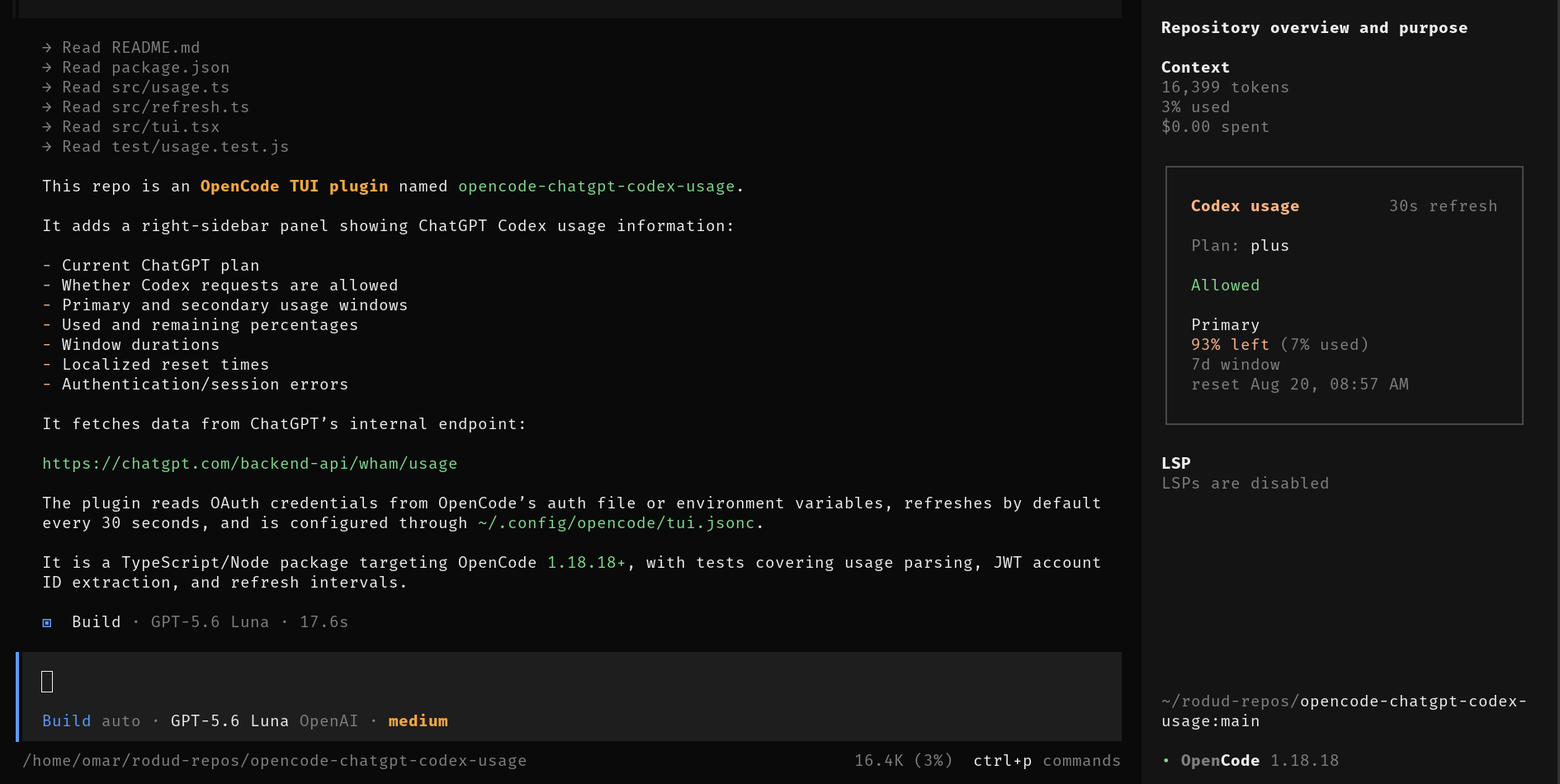
Requirements
- OpenCode 1.18.18 or newer
- A ChatGPT account connected to OpenCode with OAuth
- The OpenCode TUI right sidebar enabled
Install
Add the package to the TUI plugin list in ~/.config/opencode/tui.jsonc:
{
  "$schema": "https://opencode.ai/tui.json",
  "plugin": ["opencode-chatgpt-codex-usage"]
}
Preserve any existing entries in the plugin array. Quit and restart OpenCode after changing the configuration; config-time plugins are not hot-reloaded.
If ChatGPT is not connected yet, run /connect in OpenCode and select OpenAI/ChatGPT.
Refresh Interval
Set refreshInterval with a duration ending in s (seconds), m (minutes), h (hours), or d (days):
{
  "$schema": "https://opencode.ai/tui.json",
  "plugin": [
    ["opencode-chatgpt-codex-usage", { "refreshInterval": "5m" }]
  ]
}
The default is "30s". Valid durations shorter than 10 seconds are clamped to "10s"; invalid values fall back to the default. Quit and restart OpenCode after changing the interval.
Authentication
Credentials are checked in this order:
CHATGPT_ACCESS_TOKEN, with optionalCHATGPT_ACCOUNT_ID.OPENCODE_AUTH_CONTENT, containing OpenCode auth JSON.- OpenCode's auth file at
$XDG_DATA_HOME/opencode/auth.json, or~/.local/share/opencode/auth.jsonwhenXDG_DATA_HOMEis unset.
The plugin reads the openai OAuth entry. When the account ID is absent, it attempts to derive it from JWT claims in the access token.
The token is used only as an authorization header for the usage request. It is not rendered, logged, written, or sent to model prompts.
Displayed Values
Plan: the plan reported by ChatGPT, such asplus.Allowed: whether Codex requests are currently accepted.Primary: the primary usage window.Secondary: the longer usage window, when returned.usedandleft: consumed and calculated remaining percentages.window: duration fromlimit_window_seconds.reset: the reset time in the machine's locale.
Security And Stability
This plugin calls the undocumented internal endpoint:
https://chatgpt.com/backend-api/wham/usage
The endpoint and response schema may change without notice. OAuth access tokens are sensitive; install plugins only from sources you trust. A 401 or 403 response normally means the ChatGPT session must be reconnected with /connect.
Development
npm install
npm run typecheck
npm test
npm pack --dry-run
The npm package exposes both . and ./tui; OpenCode loads the TUI entrypoint from exports["./tui"].
Publishing
Confirm that the npm package name is still available, authenticate with npm login, and publish:
npm publish
License
MIT