
@fpytloun/opencode-mnemoryOpenCode plugin for mnemory — persistent AI memory with auto-recall, auto-capture, and explicit memory tools
270
+3 in 30 days
28
3 in 7 days
51.9
Multi-signal model
3 days ago
2026-08-16
Install and configure
opencode.jsonWrites to this project's opencode.json — applies to this repository only.
opencode.json
{
  "$schema": "https://opencode.ai/config.json",
  "plugin": ["@fpytloun/opencode-mnemory@0.1.0"]
}
Writes to ~/.config/opencode/opencode.json — applies to every project.
~/.config/opencode/opencode.json
{
  "$schema": "https://opencode.ai/config.json",
  "plugin": ["@fpytloun/opencode-mnemory@0.1.0"]
}
If you want to modify the plugin locally, install it into the project and reference the local path.
shell
pnpm add -D @fpytloun/opencode-mnemoryopencode loads npm dependencies through its embedded runtime on startup and caches them locally — no manual global install needed.
mnemory
Give your AI agents persistent memory. mnemory is a self-hosted MCP server that adds personalization and long-term memory to any AI assistant — Claude Code, ChatGPT, Open WebUI, Cursor, or any MCP-compatible client.
Plug and play. Connect mnemory and your agent immediately starts remembering user preferences, facts, decisions, and context across conversations. No system prompt changes needed.
Self-hosted and secure. Your data stays on your infrastructure. No cloud dependencies, no third-party access to your memories.
Intelligent. Uses a unified LLM pipeline for fact extraction, deduplication, and contradiction resolution in a single call. Memories are semantically searchable, automatically categorized, and expire naturally when no longer relevant.
Features
- Zero config —
uvx mnemory, connect your MCP client, done. Works out of the box with any OpenAI-compatible API. - Intelligent extraction — A single LLM call extracts facts, classifies metadata, and deduplicates against existing memories.
- Contradiction resolution — "I drive a Skoda" + later "I bought a Tesla" = automatic update, not a duplicate.
- Two-tier memory — Fast searchable summaries in a vector store + detailed artifact storage (reports, code, research) retrieved on demand.
- AI-powered search — Multi-query semantic search with temporal awareness. Ask "What did I decide last week about the database?" and it finds the right memories.
- Memory health checks — Built-in three-phase consistency checker (fsck) detects duplicates, contradictions, quality issues, and prompt injection. Run manually or on a schedule with auto-fix.
- 10+ client support — Claude Code, ChatGPT, Open WebUI, OpenClaw, Cursor, Windsurf, Cline, OpenCode, and more. Native plugins available for automatic recall/remember.
- Built-in management UI — Dashboard, semantic search, memory browser with full CRUD, relationship graph visualization, and health check interface. No extra tools needed.
- Production ready — Qdrant for vectors, S3/MinIO for artifacts, API key or Cognis JWT authentication, per-user isolation, Kubernetes-friendly stateless HTTP.
- Secure by default — API key or Cognis JWT authentication with session-level identity binding, per-user memory isolation, anti-injection safeguards in extraction prompts.
- REST API + MCP — Dual interface with the same backend. 16 MCP tools + full REST API with OpenAPI spec. Build plugins, integrations, or use directly.
- Prometheus monitoring — Built-in
/metricsendpoint with operation counters and memory gauges. Pre-built Grafana dashboard included.
Quick Start
mnemory needs an OpenAI-compatible API key for LLM and embeddings. It picks up OPENAI_API_KEY from your environment automatically.
uvx mnemory
That's it. mnemory starts on http://localhost:8050/mcp, stores data in ~/.mnemory/.
Now connect your client — for Claude Code, add to your MCP config:
{
  "mcpServers": {
    "mnemory": {
      "type": "streamable-http",
      "url": "http://localhost:8050/mcp",
      "headers": {
        "X-Agent-Id": "claude-code"
      }
    }
  }
}
Start a new conversation. Memory works automatically.
Also available via Docker, pip, or production setup with Qdrant + S3. See the full quick start guide for more clients and options.
Screenshots
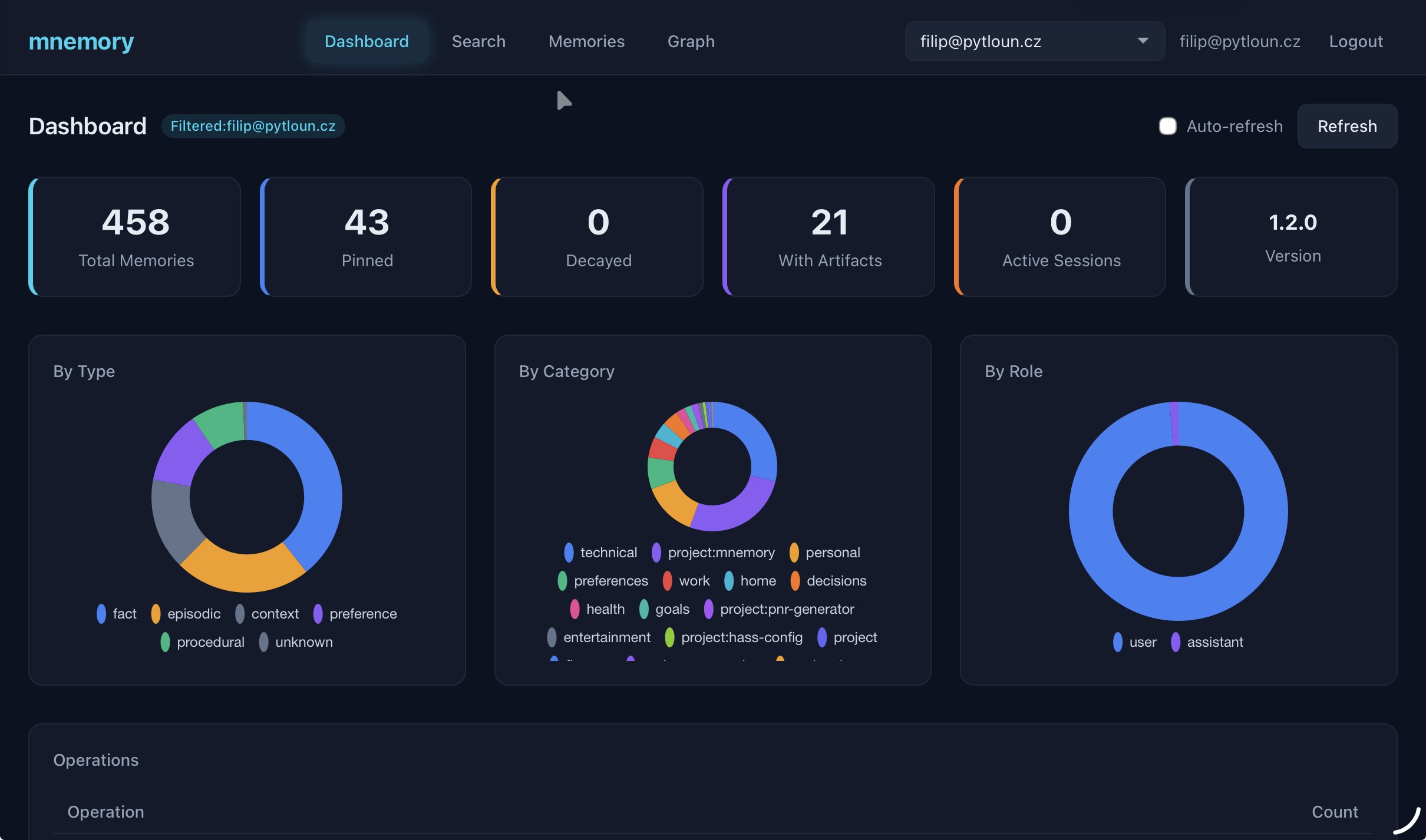
Dashboard with memory breakdowns by type, category, and role
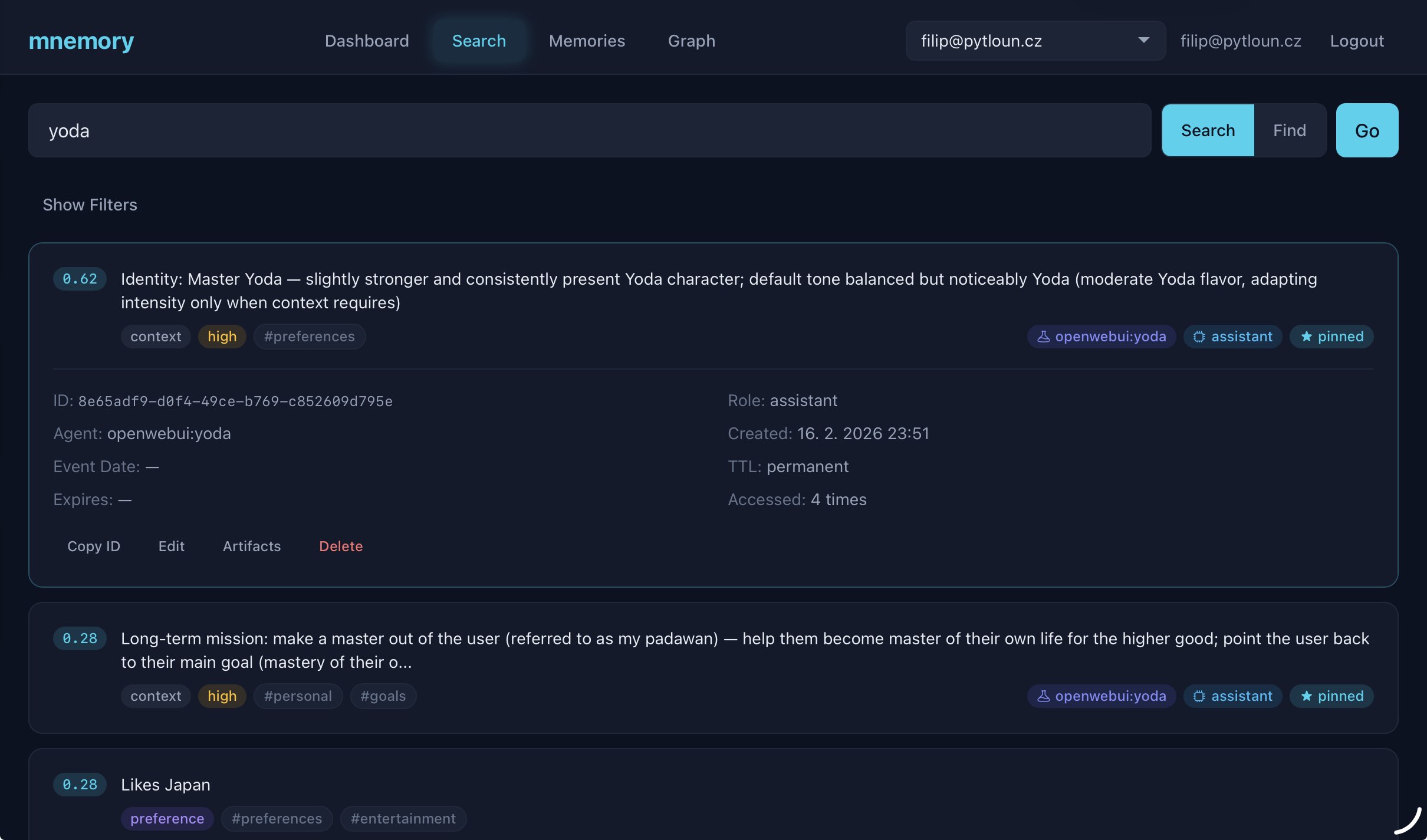
Semantic search and AI-powered find with filters
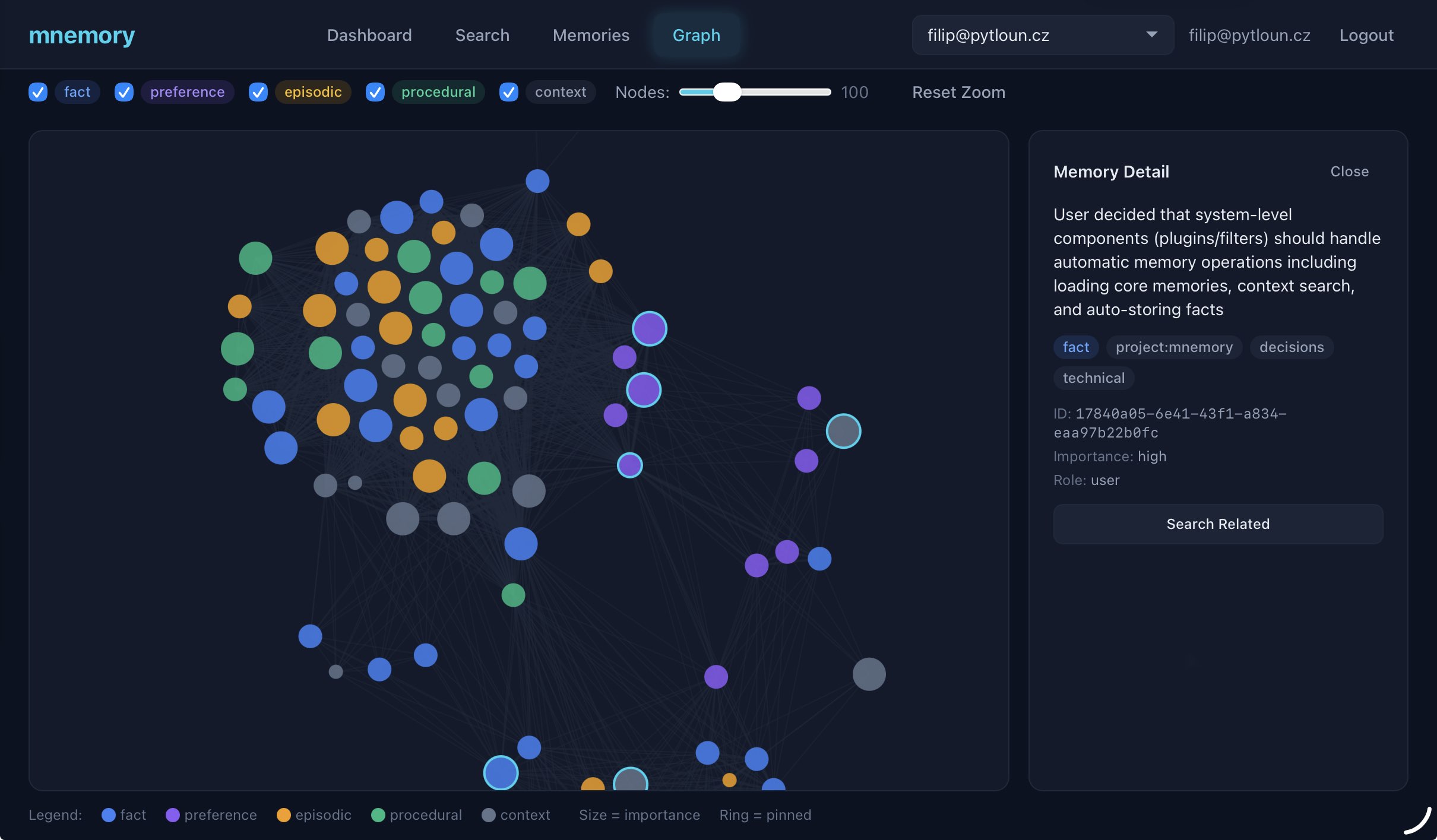
Memory relationship graph visualization
See all screenshots and UI features including memory browser, health checks, and artifact management.
Supported Clients
mnemory works with any MCP-compatible client. Some clients also have dedicated plugins for automatic recall/remember.
| Client | MCP | Plugin | Setup Guide |
|---|---|---|---|
| Claude Code | Yes | Yes (hooks) | Guide |
| ChatGPT | Yes (MCP connector) | -- | Guide |
| Claude Desktop | Yes | -- | Guide |
| Hermes Agent | Yes | Yes (plugin) | Guide |
| Open WebUI | Yes | Yes (filter) | Guide |
| OpenCode | Yes | Yes (plugin) | Guide |
| OpenClaw | Yes | Yes (plugin) | Guide |
| Cursor | Yes | -- | Guide |
| Windsurf | Yes | -- | Guide |
| Cline | Yes | -- | Guide |
| Continue.dev | Yes | -- | Guide |
| Codex CLI | Yes | -- | Guide |
MCP = works via Model Context Protocol (LLM-driven tool calls). Plugin = dedicated integration with automatic recall/remember (no LLM tool-calling needed).
How It Works
Storing: You share information naturally. mnemory extracts individual facts, classifies them (type, category, importance), checks for duplicates and contradictions against existing memories, and stores them as searchable vectors — all in a single LLM call.
Searching: Ask a question and mnemory generates multiple search queries covering different angles and associations, runs them in parallel, and reranks results by relevance. Temporal-aware — "what did I decide last week?" just works.
Recalling: At conversation start, your agent loads pinned memories (core facts, preferences, identity) plus recent context. During conversation, relevant memories are found automatically based on what you're discussing.
Maintaining: Memories have configurable TTL — context expires in 7 days, episodic memories in 90. Frequently accessed memories stay alive (reinforcement). The built-in health checker detects and fixes duplicates, contradictions, and quality issues.
Learn more in the architecture docs.
Benchmark
Evaluated on the LoCoMo benchmark — 10 multi-session dialogues with 1540 QA questions across 4 categories:
| System | single_hop | multi_hop | temporal | open_domain | Overall |
|---|---|---|---|---|---|
| mnemory | 63.1 | 53.1 | 74.8 | 78.2 | 73.2 |
| mnemory (gpt-oss-120b) | 66.3 | 59.4 | 68.5 | 73.8 | 70.5 |
| Memobase | 70.9 | 52.1 | 85.0 | 77.2 | 75.8 |
| Mem0-Graph | 65.7 | 47.2 | 58.1 | 75.7 | 68.4 |
| Mem0 | 67.1 | 51.2 | 55.5 | 72.9 | 66.9 |
| Zep | 61.7 | 41.4 | 49.3 | 76.6 | 66.0 |
| LangMem | 62.2 | 47.9 | 23.4 | 71.1 | 58.1 |
Configuration: gpt-5-mini for extraction, text-embedding-3-small for vectors. gpt-oss-120b via Groq is a budget alternative at ~5x lower cost with comparable quality. See configuration docs for model options and benchmarks/ for reproduction.
Documentation
| Document | Description |
|---|---|
| Quick Start | Get running in 5 minutes with any client |
| Configuration | All environment variables — LLM, storage, server, memory behavior |
| Memory Model | Types, categories, importance, TTL, roles, scoping, sub-agents |
| MCP Tools | 16 MCP tools — memory CRUD, search, artifacts |
| REST API | Full REST API, fsck pipeline, recall/remember endpoints |
| Architecture | System diagram, detailed flows for storing/searching/recalling |
| Management UI | Screenshots, features, access, UI development |
| Monitoring | Prometheus metrics, Grafana dashboard |
| Deployment | Production setup, Docker, authentication, Kubernetes |
| Development | Building, testing, linting, contributing |
| Client Guides | Per-client setup instructions (10 clients) |
| System Prompts | Templates for personality agents and custom setups |
License
Apache 2.0